Set Up
Installing the module after a refresh
If you have already installed the Lease Accounting module in your environment but have refreshed your Sandbox or Implementation company, there are specific steps you should take to make sure your module is still working. After your refresh, the password related to the web-services user for Intacct will be overwritten with the production password for the same user. This may cause Lease Accounting to stop working. To correct this issue, please follow one of the following options:
Option 1: Updating the password
Log in to the Sandbox or Implementation company.
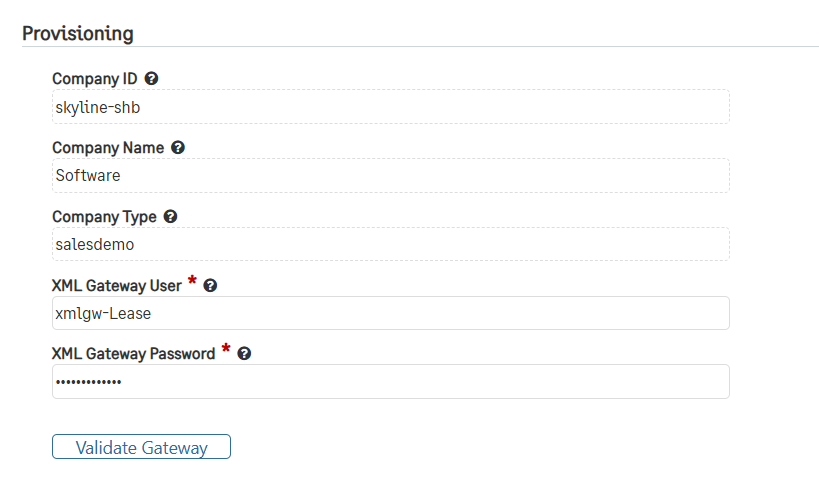
Go to Lease Accounting > Lease Configuration and find the “Provisioning” section.
Confirm that the XML Gateway User for this company is “xmlgw-Lease.”
Update the XML Gateway Password field to match the password in the production environment.
Option 2: Resetting the password
Log in to the Sandbox or Implementation company.
Go to Company > Admin > Web Service Users and click Edit for the “xmlgw-Lease” user ID.
Click Reset password for the web-services user “xmlgw-Lease.” This will send a new password to the listed email.
After receiving the new password, update the password in the XML Gateway Password to match the password in the production environment.