Set Up
Setting up permissions
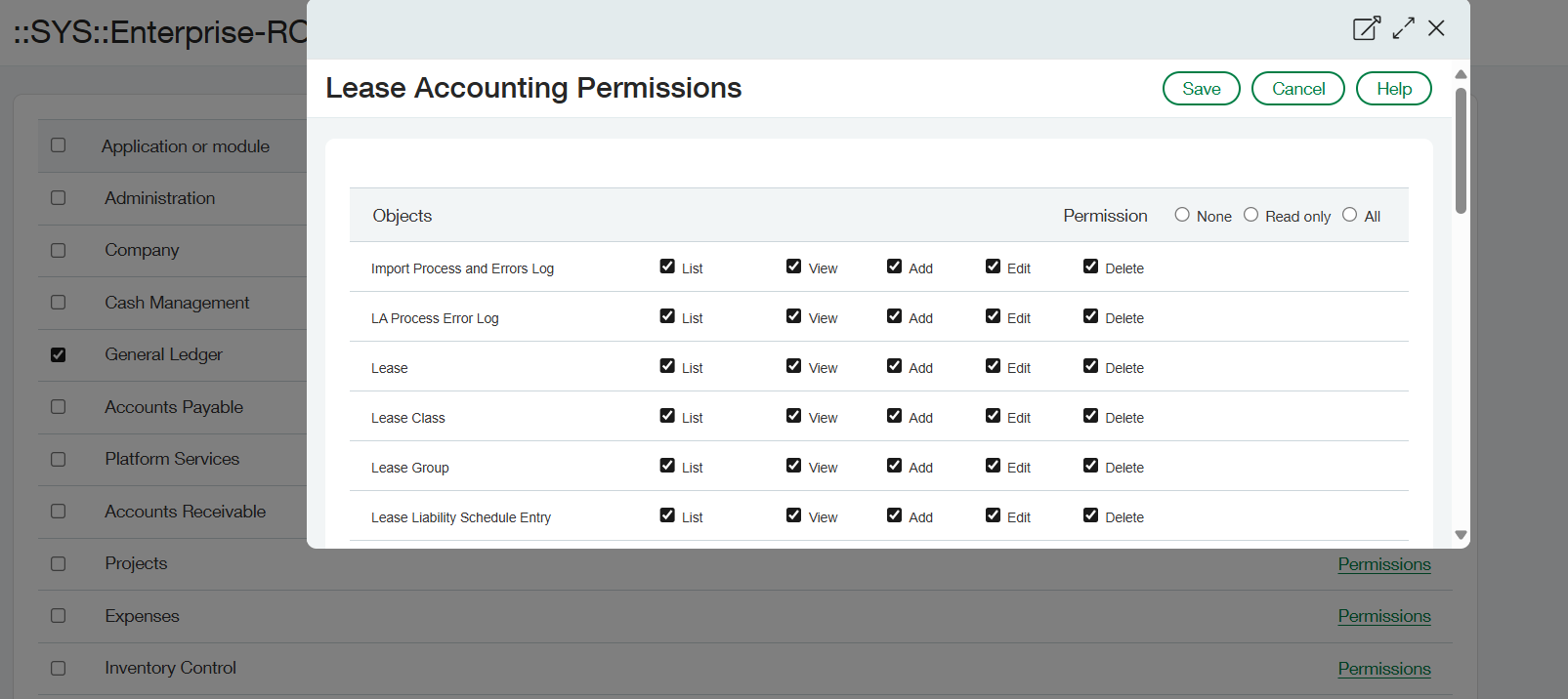
The next step is to set up the Lease Accounting role page so that Lease Accounting users can perform any actions necessary in the module.
Please follow the table to make sure the necessary permissions are granted:
| Application | Items |
|---|---|
| Lease Accounting |
Objects: All Actions: All Menu: All |
| Accounts Payable |
AP Terms: List, View Bills: List, View, Add Manual payment: View, Add* Tax detail: List, View* Vendor/Supplier: List, View* |
| Accounts Receivable |
Customers: List, View* Projects: List, View* |
| Administration |
Application subscriptions: List, View Company info: List, View |
| Platform Services | Activities and Lists: All |
| Cash Management |
Checking accounts: List, View* Savings accounts: List, View* Credit card accounts: List, View* |
| Company |
Classes: List, View Departments: List, View Employees: List, View Entities: List, View Locations: List, View Transaction allocations: List, View* Transaction currencies: List, View |
General Ledger |
Accounts: View Journal entries: View, Add, Edit Journals: List, View Allocations: View* |
| Inventory Control / Order Entry |
Items: List, View* Warehouses: List, View* |
| Projects |
Projects: List, View* Tasks: List, View* |
| Purchasing |
PO transaction definitions: View* Purchasing transactions: View* |
| Taxes |
Tax solutions: List, View* |
| User-defined Dimensions | All defined dimensions: List, View* |
Notes:
Some objects or items may have different naming in individual instances due to language translation or custom terminology use.
For items with an asterisk (*) next to them, the permission may or may not be required depending on what functionality in Lease Accounting is used or configured.
Any objects used as dimension - standard, custom or user-defined - is recommended to have List and View access enabled.