Theory and Practice
✘ Does not apply to US GAAP (ASC 842) Finance Leases
✘ Does not apply to US GAAP (ASC 842) Operating Leases
✔ Applies to IFRS (IFRS 9)
? Optionally applied to UK GAAP (FRS 102)
A refundable deposit is recognized as a financial asset at its present value, separate from the lease. IFRS 9’s amortized cost rules require discounting an interest-free deposit, if material, recognizing the difference as either a prepaid expense or an addition to the ROU asset. Subsequently, the deposit is accreted over time by recognizing interest income, bringing it up to the full amount by lease end (when it’s refunded). If a $10,000 refundable deposit due back in 5 years is discounted at an annual rate of 3.25%, it has a present value of $8,522.16, the Initial payment of deposit is recorded as:
| Account | Debit | Credit |
|---|---|---|
| Deposit Receivable | $8,522.16 | |
| ROU Asset | $1,477.84 | |
| Cash | $10,000 | |
| Record payment of refundable deposit. Asset recorded at PV (~$8.5k) representing the receivable from lessor, and the “discount” (~$1.5k) increases the ROU asset as a prepaid lease cost. | ||
Periodically, to unwind the discount:
| Account | Debit | Credit |
|---|---|---|
| Deposit Receivable | $23.25 | |
| Interest Income | $23.25 | |
| To accrete the deposit from $8.5k towards $10k over 5 years. This entry (at ~effective interest rate) would be repeated each period so that the deposit asset reaches $10k by lease end, with $15k total interest income recognized over the lease’s life. | ||
When the deposit is refunded at lease end:
| Account | Debit | Credit |
|---|---|---|
| Cash | $100,000 | |
| Deposit Receivable | $100,000 | |
| Receive back the deposit in full; remove the financial asset from the books. | ||
Doing it in Sage Intacct Lease Accounting
Discounted, refundable deposits can be accounted for treating them as negative leases in Sage Intacct. To ease the creation process, it is suggested that one creates the deposit’s “lease” before entering the Lease into the software.
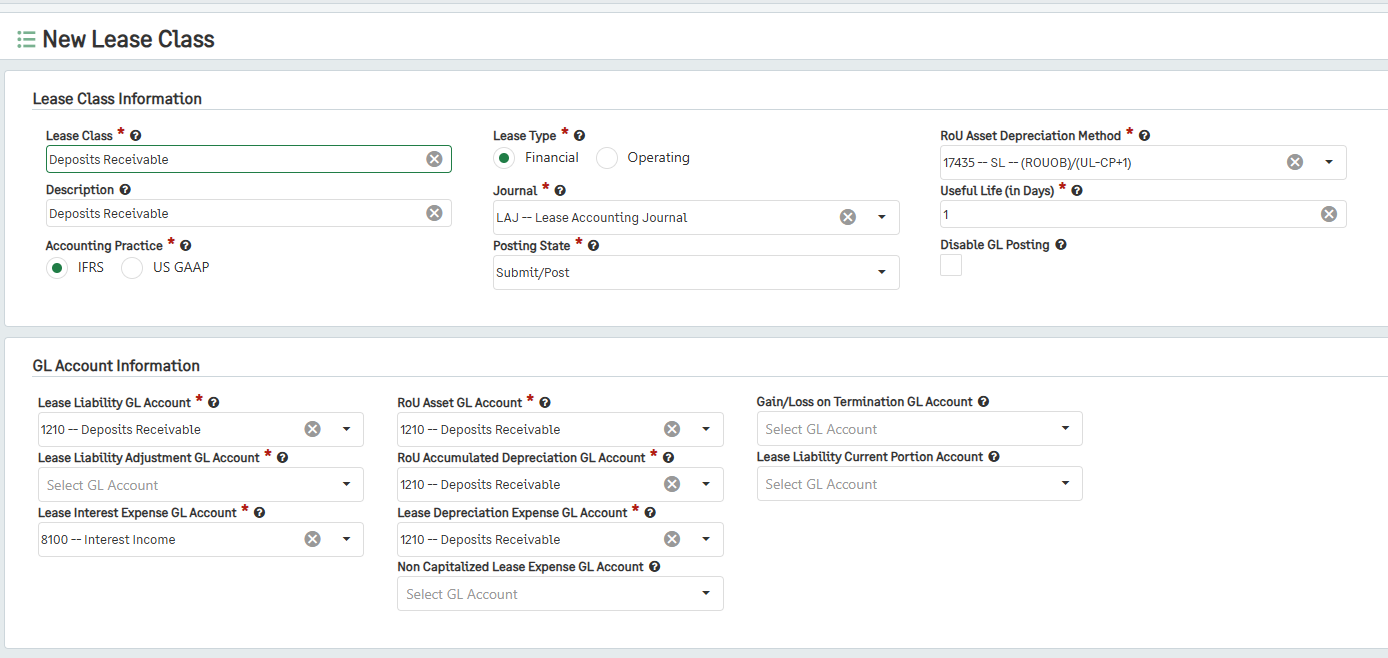
Set up a Lease Class where:
Lease Class, Description, Lease Type, Journal and Posting State is set to any value chosen,
Accounting Practice is set to IFRS,
ROU Depreciation Method is set to SL,
Useful Life (in Days) is set is to 1,
The Lease Liability GL Account is set to the selected Deposit Receivable account,
The Lease Liability Adjustment GL Account is set to the selected Deposit Receivable account,
The Lease Interest Expense GL Account is set to the selected Interest Income account,
The ROU Asset GL Account is set to the selected Deposit Receivable account,
The ROU Accumulated Depreciation Account is set to the selected Deposit Receivable account,
The Lease Depreciation Lease Expense GL Account is set to the Deposit Receivable account.
Create a Lease for where:
The Start and End dates reflect the duration that the lessor will keep the deposit,
The Lease Class created for Refundable deposits above is used,
Set the Lease to have custom or Imported Payment Schedules, and a Transaction Type of GL Journal.
The payment is entered as a negative payment at the date it will be returned by the lessor.
Generate the Lease Liability and ROU Asset Schedules.
Place the Lease in Service.
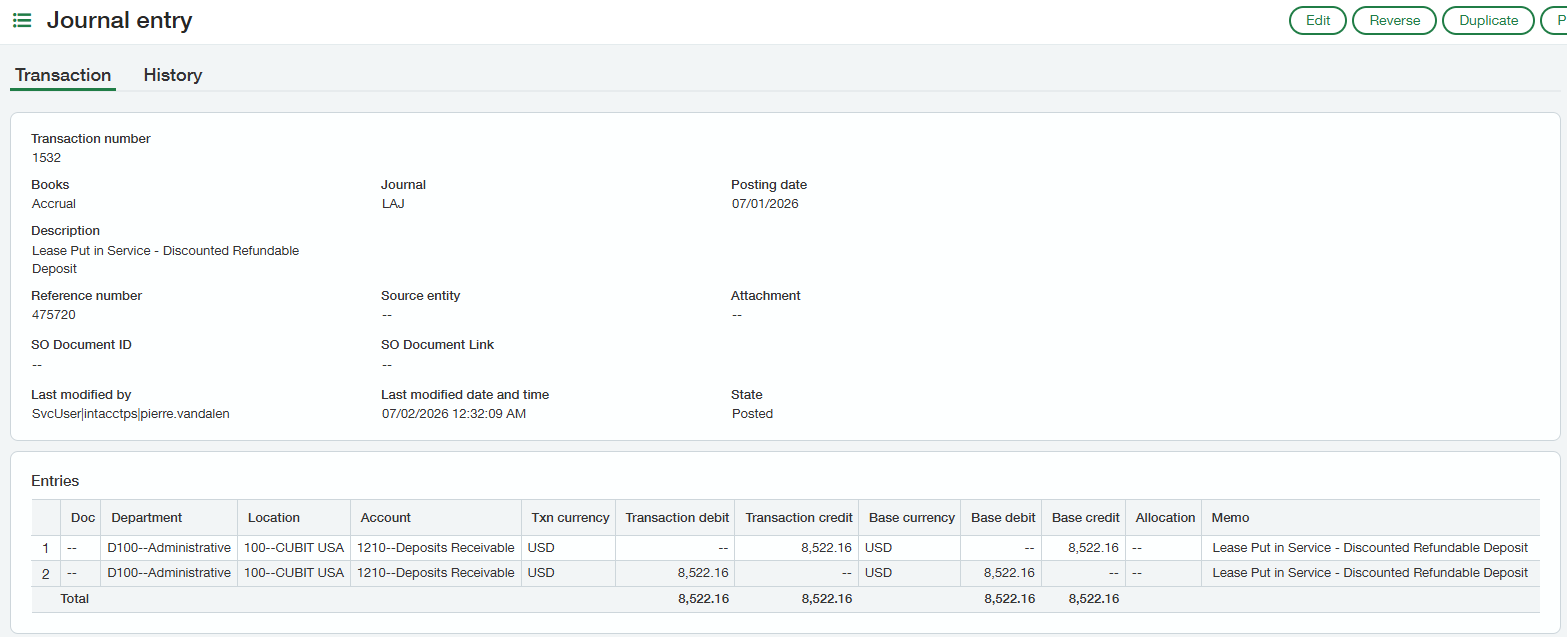
The initial recognition entry (see below) both debited and credited the Deposit Receivable account with the present value of the deposit. Update the credit entry to the applicable cash account.
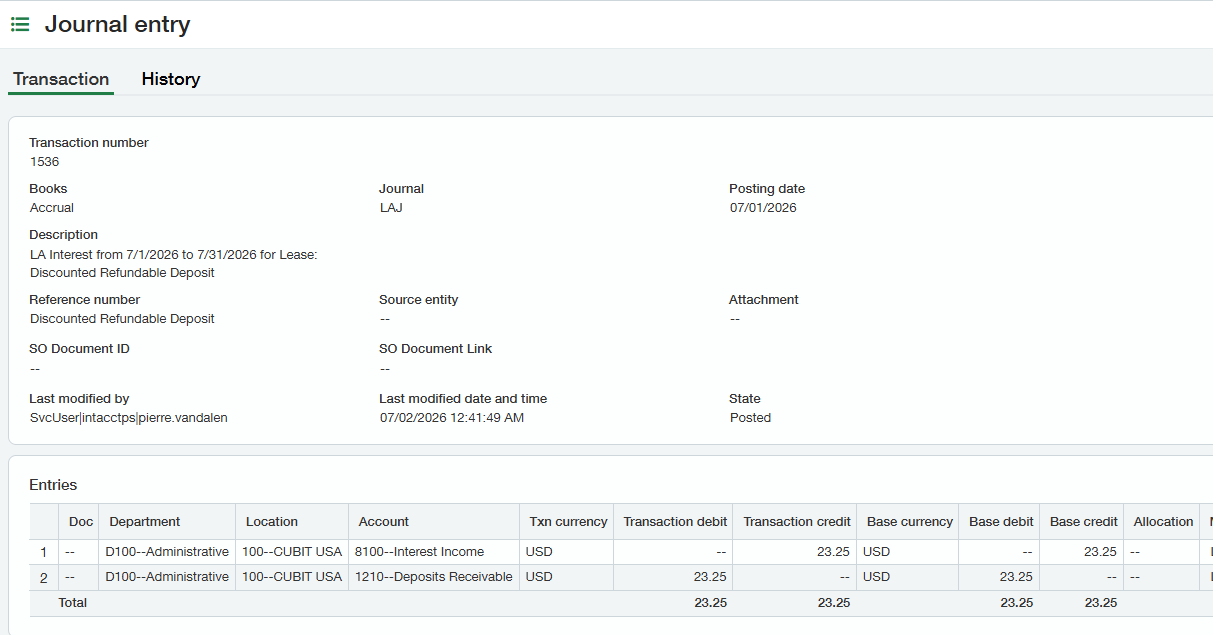
The periodic GL entries created by Lease Accounting will accrue the Interest Income…
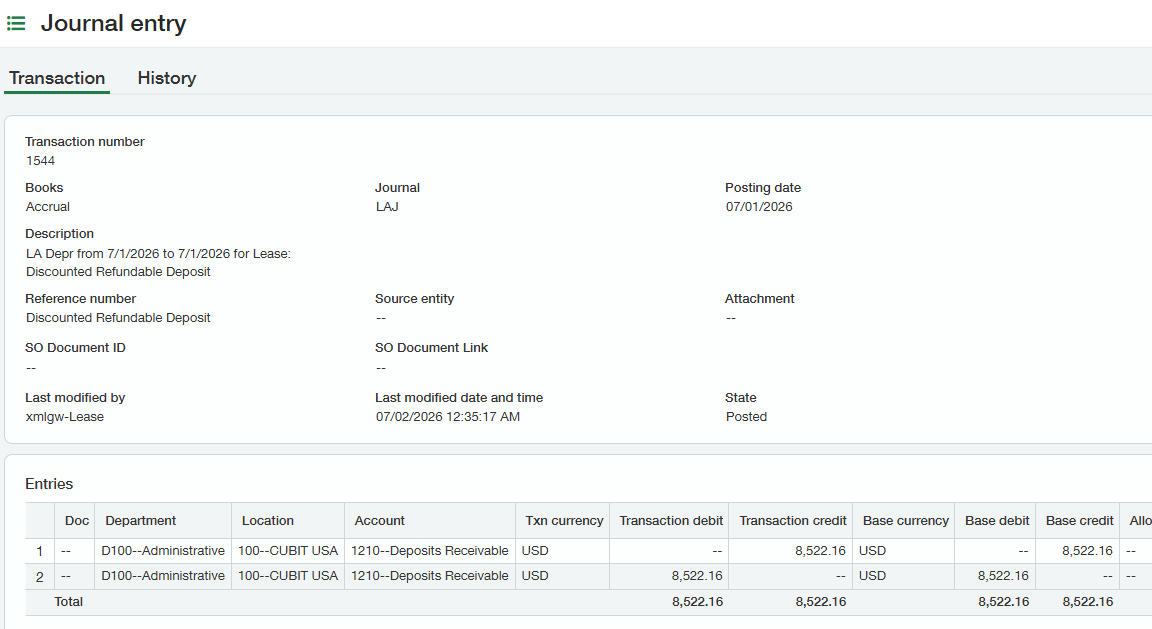
While the first “Depreciation” entry will have a nil effect:
Create the “real” Lease and use the total Interest amount on the Deposit lease as a negative Lease Liability to ROU Adjustment. After being placed in service, reclass the Lease Adjustment entry to the Cash account.
Upon receipt back of the deposit, enter a GL journal to record the receipt.